Energon is agent-native publishing with human workflows built in. Start through your agent when it already has the work and context, or upload directly from your browser. Both paths matter because publishing is not always a handoff: you might open your own prototype, revise a plan, or give the same agent its link as reference in a later session.
Product tour
Upload without an agent
Maya can sign in to the hub, upload a Markdown brief, choose expiration and write settings, and get a browser link without connecting an agent. The brief renders as a document. A prepared folder with index.html renders as a working site, not just a download. She can send either link to a person or give it to a connected agent later.
Before the first handoff
Connecting an agent and delegating publishing authority are one-time setup steps. Once they are complete, the everyday flow starts with a request in the agent session.
Maya connects the right host
Maya starts on the instance’s Setup page, which names its marketplace, install coordinate, and token environment. That instance-specific page keeps the agent from guessing which Energon host or plugin to use.
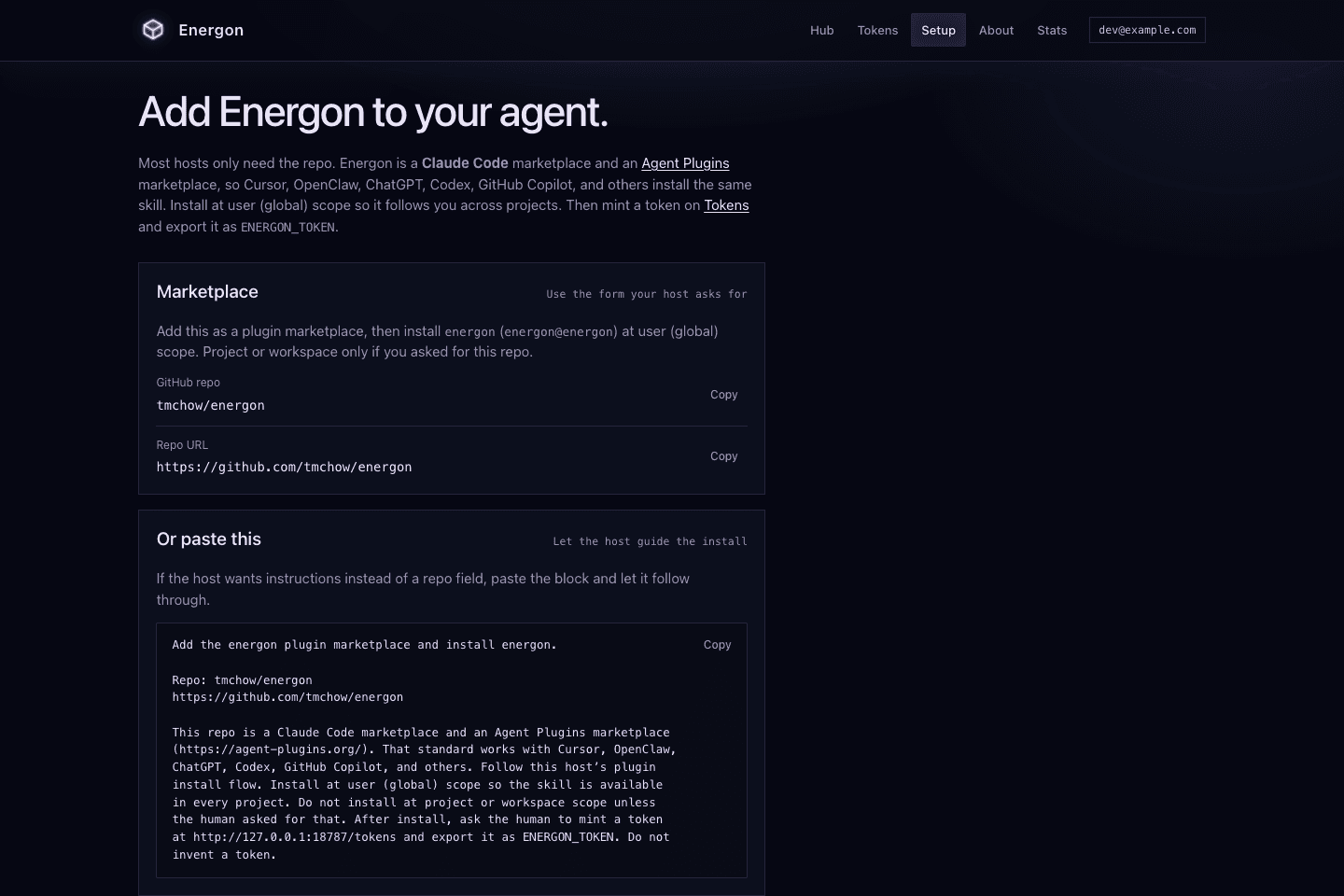
The upstream repository advertises placeholder coordinates until an operator initializes a fork. A real handoff starts with the deployed host’s Setup page or /v1/help, never with an invented token or origin.
Maya delegates publishing authority
Maya signs in through the instance’s Access-protected hub and mints a token for her agent. The token secret appears only once at mint; the persistent list shows a label, a shortened hint, activity, and expiry. Here, the docs-tour token expires after 90 days.
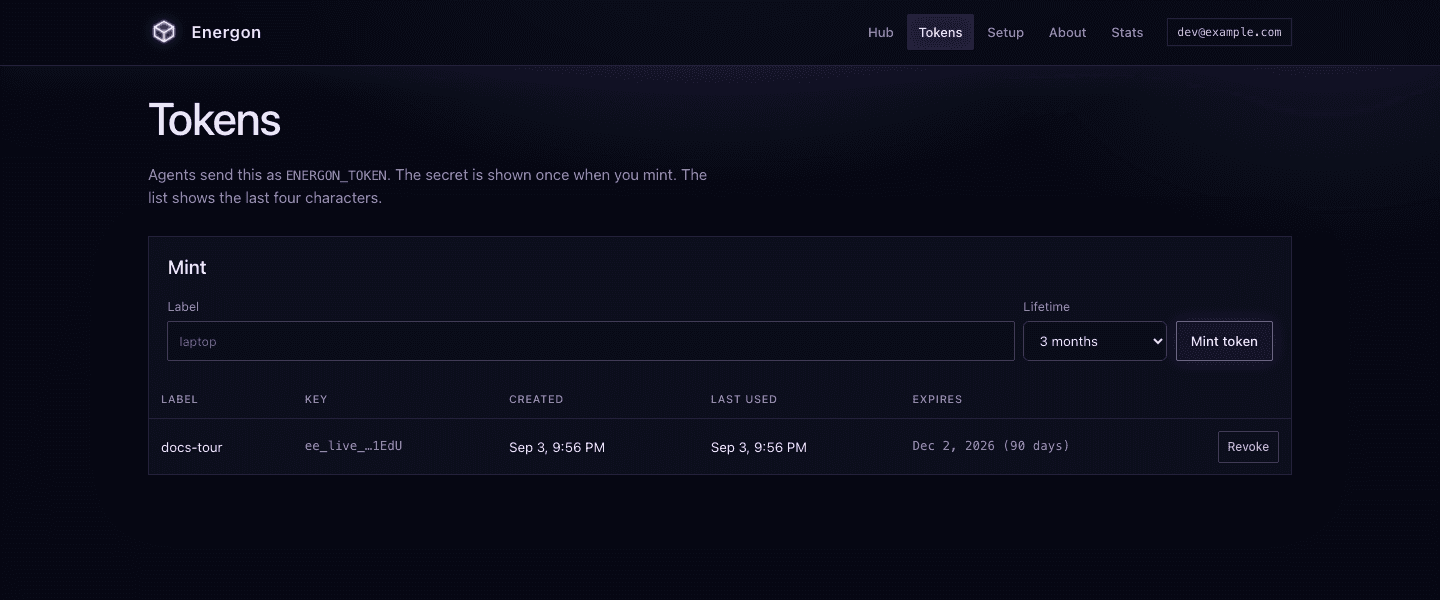
Maya owns the authority decision. Her agent can use the resulting environment variable, but it cannot mint its own token through /v1.
The everyday handoff
1. Maya asks her agent to hand off the brief
Maya stays in the agent session where the work already happened. She describes the recipient and the useful handoff constraints in ordinary language:
Hand off launch-brief.md to Noah for review. Keep it for seven days and give me a browser link. Keep the agent link too in case another agent continues the work.Maya does not need to choose an endpoint, construct headers, or copy a credential into the conversation.
If Maya has both personal and organization instances installed, she makes the destination explicit: “Hand off launch-brief.md on acme-energon.” A repository can carry that choice in its agent instructions so ordinary requests use the right instance without repeating it.
2. Her agent uses the Energon skill
The installed Energon skill tells the agent how to use the selected host. The agent confirms the live host rules, publishes the Markdown as a loose file with the requested expiry, and uses the links returned by Energon instead of constructing them. It reports the browser link, expiry, and availability of the authenticated agent link back to Maya.
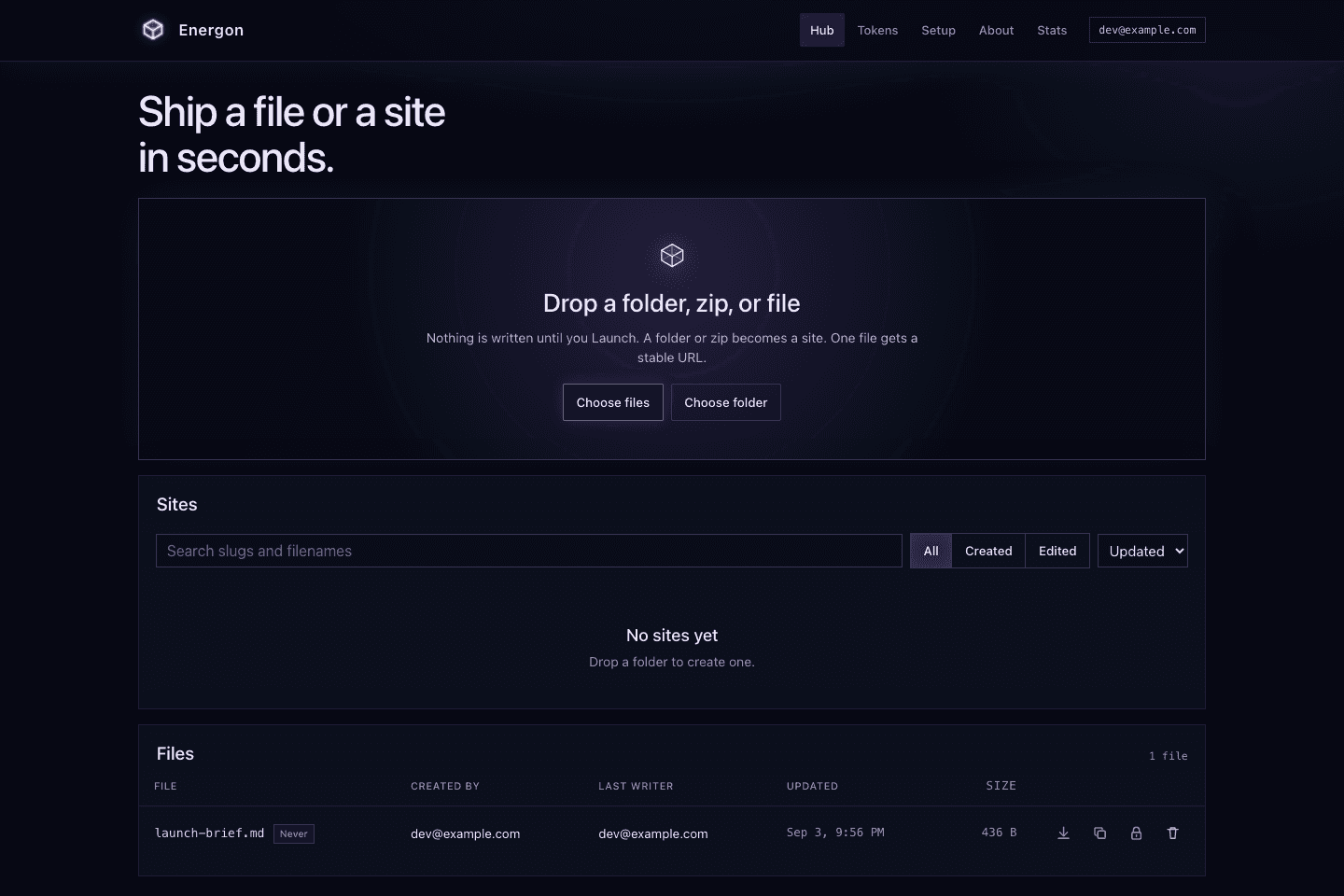
The hub lists the result for Maya, including its creator, last writer, size, retention, and file actions. Replacing the file later keeps its short id stable, so a link already sent for review does not move.
3. Noah opens an ordinary browser link
Maya sends Noah the public content URL. He opens it like any other browser link; he does not need the agent harness, source checkout, or an Energon account for an unprotected public link. Energon renders the Markdown for reading and keeps a Raw link for the original bytes.
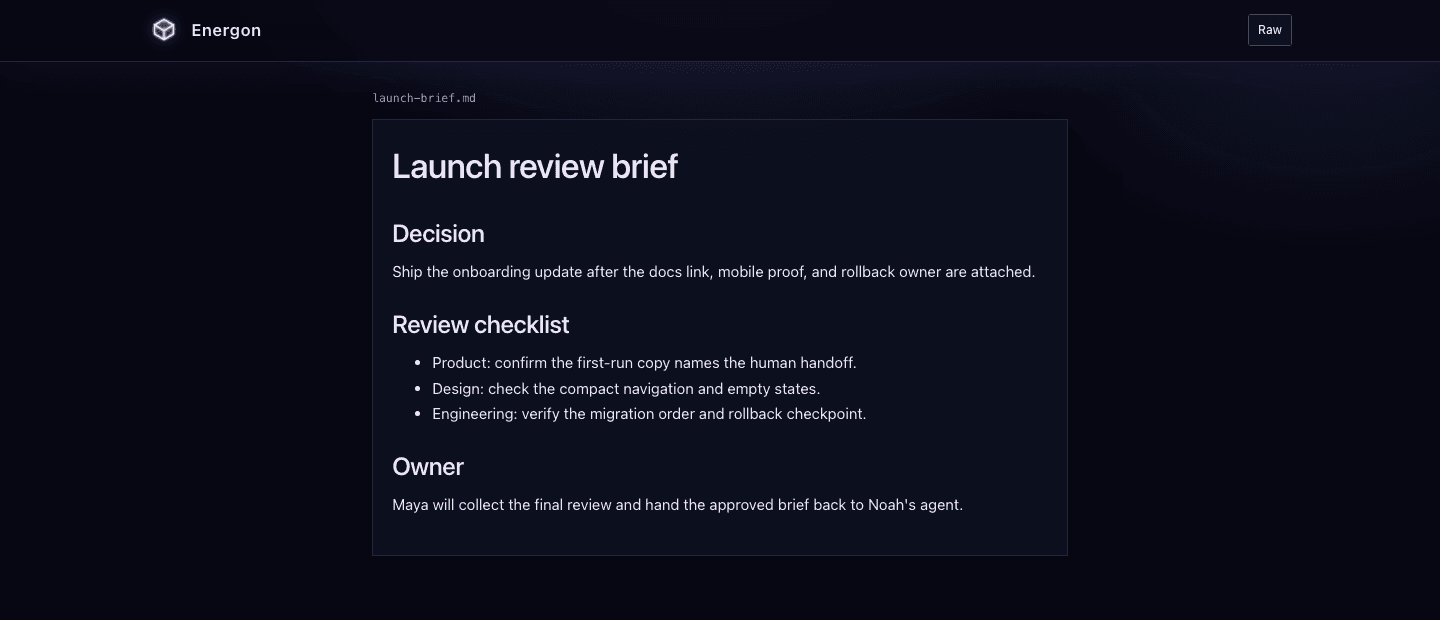
That is the human handoff: Maya asks through her agent, the agent publishes the artifact, and Noah receives a link that remains useful until expiry or deletion. Energon does not become the author, reviewer, document editor, or system of record.
4. Another agent continues from another machine
The same handoff does not need to end in a browser. Later, Maya starts a cloud agent in another workspace and gives it the authenticated agent link:
Read the source brief at https://energon.company.example/v1/files/FILE_ID and summarize the open questions for the next planning session.That agent follows its installed Energon skill and uses its own token for the same instance. It retrieves the original Markdown without access to Maya’s local files, earlier agent session, or machine.
The exact URL carries the handoff between machines. The workspaces are not synchronized, and Energon does not discover unrelated files: listings and search stay scoped to objects the token holder created or last wrote.
Revise here, or explore a copy
Maya can ask her agent to update the brief at the same URL if its write policy permits. Noah refreshes the document to see the current contents. A prototype works the same way: build any required output first, have the agent replace the published site files, and open the existing link to try the result.
Reading as reference is a separate intent from editing. Maya can say “Read this plan for context; do not change it.” For an alternative direction, an authenticated user or agent can duplicate a file or site into an independent copy with its own identity and settings. This is not branching, merging, or revision history. Replacement does not extend expiration, and a stable URL is not an immutable revision.
What the skill does underneath
For the publishing agent, the skill sends the artifact to /v1/files and preserves the response’s url for people and api_url for agents. For a receiving agent, it fetches the exact api_url using that agent’s own token. Those mechanics are available in Complete your first handoff and the HTTP API, but they are not the normal user interface.
The screenshots were captured from source commit 8902c3e on a disposable local instance through the same Setup, token, hub catalog, and public-file paths described in these docs. They show earlier interface wording; the workflows remain the same. No mock service or production credential was used.
Continue with Start with Energon to prepare a real host. Read Security model before handing off sensitive material.