Use the access matrix and the independent clocks to choose who can read, who can write, and how long each kind of access lasts. Keep those dimensions separate because content availability and agent authority solve different problems. Recipients open the public content URL unless the object is private; teammates and agents use /v1; an outside collaborator with a write password uses that same public URL; a machine with an upload grant uploads once to the grant’s own URL. Content TTL governs the object, while token and grant expiry govern the credentials.
Sharing, access, and expiry
Access depends on the surface and operation
The resulting behavior for a public object, the default, is precise:
| Caller | Read open public URL | Read passworded public URL | Read through /v1 | Mutate via /v1 (owner / org) | Guest PUT on public URL |
|---|---|---|---|---|---|
| Anonymous recipient | Yes | Share password, write header, or gate form | No | No / No | Only with write password |
| Valid agent key | Yes | Share password or write header on public URL | Yes, without either public password | Creator only / Yes | Only with write password; token is unused on that URL |
| Signed-in human through hub | Yes | Same as anonymous on the public URL | With an agent key | Creator only / Yes | Only with write password |
| Outside agent with write password | Yes, via write header | Write header unlocks GET | No | No / No | Yes, on that object |
A private object leaves only one row of that table open: agent keys of the creating account read and write it through /v1. Every public-URL request is 403 link_private, and another account’s key gets 404. See What private link access does.
A gate cookie never authorizes PUT or DELETE, including a cookie minted after unlocking the form with the write phrase. The share-password header never authorizes PUT or DELETE, even when the phrases are identical.
Common mistakes
The most consequential mistake is treating any of these controls as a read ACL. A share password does not protect bytes from other valid tokens on this Energon, write_policy: "owner" does not restrict reads, and a write password is not membership. If other token holders must not read the content, make it private, which limits it to your own account’s keys. If a group of named people should read it and others should not, publish it to a separately controlled Energon or use a storage system with per-reader authorization.
What private link access does
From v1.15.0, each site and loose file has link_access: public (the default) or private. Private closes the public URL for every method, including guest writes, with 403 link_private. Agents get JSON and browsers get a short HTML page; neither names the hub or /v1. Only the creating account’s agent keys can read or write the object through /v1. Every other account gets 404 and does not see it in lists, the hub catalog, or cleanup previews.
A private object cannot have a share password or write password, and its write policy is always owner. Only the creator can change link access, and copies do not inherit it. Admins can still see a private object’s metadata and set its expiry or delete it through admin cleanup. Keep work private to your account is the task-focused recipe.
What a share password does
You can set a password when creating a site, set or clear it with PATCH, and set one on loose files with the corresponding JSON field or X-Energon-Set-Password header. Energon trims the value, accepts at most 128 characters, stores a hash, and keeps a recoverable phrase for the creator so Link access can copy it later. Last writers cannot recover or change the owner’s phrase. /v1 GET and list responses expose only password_protected. Hash-only rows created before recoverable phrases return password: null with password_protected: true; generate a new phrase or turn that door Off.
Browsers receive a password form. A successful form submission creates a path-scoped, HttpOnly, SameSite=Lax cookie for one week. Agents reading the public content URL send X-Energon-Password. The form also accepts the write password for reading when a share password is also set; the cookie is still derived from the share hash. Failed guesses are counted by both object path and source IP; after 20 failures within 15 minutes, even a correct attempt is temporarily rate-limited. Write-password guesses use separate scopes, so twenty failed writes do not block share-password GET.
This disposable site flow exercises both read surfaces. Use a fresh slug and a non-demo password for real material:
export ENERGON_ORIGIN="https://energon.company.example"
export SHARE_PASSWORD="demo-only-passphrase"
test -n "$ENERGON_TOKEN" || { echo "Set the human-authorized ENERGON_TOKEN" >&2; exit 1; }
SITE_SLUG="security-demo-$(date +%s)"

SITE_JSON=$(curl -fsS "$ENERGON_ORIGIN/v1/sites" \
  -H "Authorization: Bearer $ENERGON_TOKEN" \
  -H "Content-Type: application/json" \
  --data "$(jq -n --arg slug "$SITE_SLUG" --arg password "$SHARE_PASSWORD" \
    '{slug:$slug, password:$password, ttl:"7d", write_policy:"owner"}')")

PUBLIC_URL=$(printf '%s' "$SITE_JSON" | jq -r .url)
SITE_ID=$(printf '%s' "$SITE_JSON" | jq -r .id)

curl -fsS "$ENERGON_ORIGIN/v1/sites/$SITE_ID/files/index.html" \
  -X PUT \
  -H "Authorization: Bearer $ENERGON_TOKEN" \
  -H "Content-Type: text/html" \
  --data '<h1>Security review</h1>'

# Public-link read: the share password is required.
curl -fsS "$PUBLIC_URL" -H "X-Energon-Password: $SHARE_PASSWORD"

# API read: the API token is sufficient; no share password is used.
curl -fsS "$ENERGON_ORIGIN/v1/sites/$SITE_ID/files/index.html" \
  -H "Authorization: Bearer $ENERGON_TOKEN"
The POST returns the password because that request set it. Do not log that response in CI. Fetching the site later through /v1 returns only whether protection is enabled. The Hub can show the phrase again to the creator.
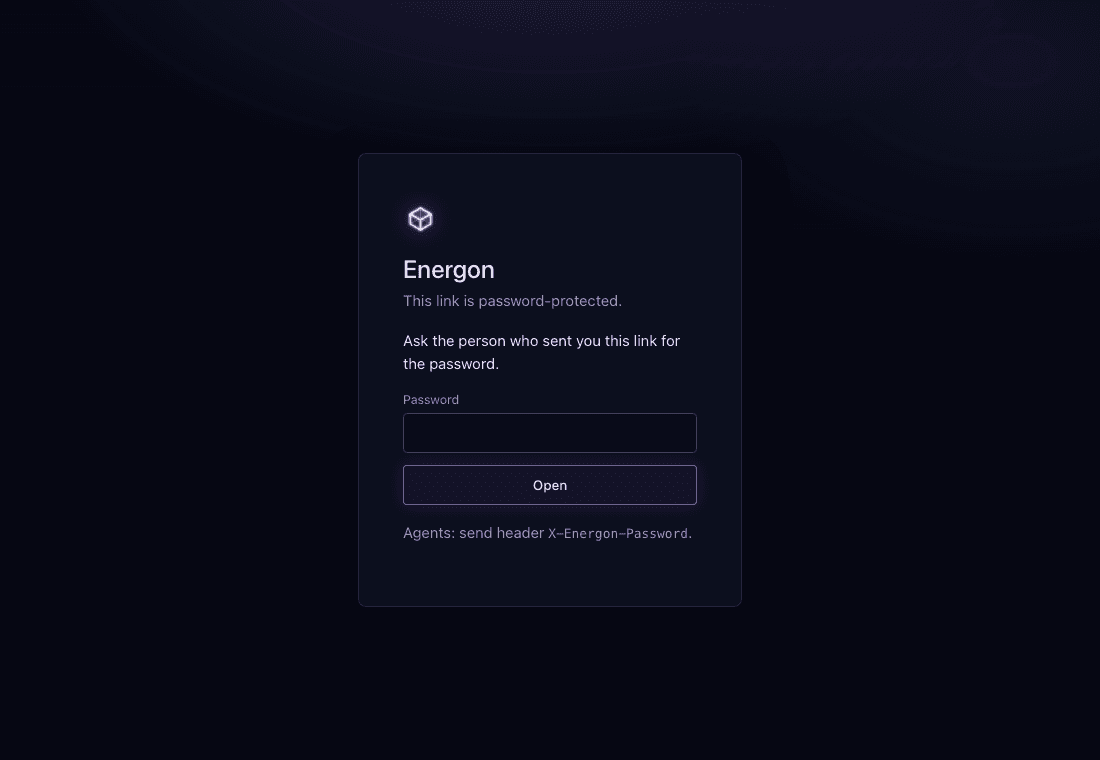
The recipient asks the sender for the share password, enters it here, and selects Open. The same form accepts the write password for reading when both secrets are set. This page uses a disposable local example.
What a write password does
A write password is a second shared secret on the same object. Default unset means guests cannot write. Combinations are neither, read only, write only, or both. Write-only is the usual contractor case: the public URL stays readable, and the outsider replaces bytes without joining this Energon.
Only the creator may set or clear it. JSON uses write_password on site create and on PATCH; loose-file create also accepts X-Energon-Set-Write-Password or multipart write_password. Empty string clears. Duplicate never copies it. Guest PUT cannot set it.
The outside agent does not use /v1, /auth.md, /keys, or /connect. They GET /llms.txt on the content origin and PUT the public URL with X-Energon-Write-Password and a raw body. Site paths also accept DELETE. The body is raw bytes only; empty is allowed. Guest PUT rejects multipart and the X-Energon-* create/replace headers.
Scope follows the object kind:
- Loose file: PUT replaces that file, including empty. DELETE of the file is
405. The public file address stays. - Site path: PUT adds or replaces one path; DELETE removes one path. DELETE of the site directory URL is
405. Last-path DELETE keeps the site row so/{handle}/s/{id}/{slug}/still returns200. - New site paths are bounded by the 200-file import ceiling (
400 too_many_files). Replace and DELETE remain allowed at that ceiling.
Guest errors on the content host omit the /v1 envelope’s hub field. Unset write password on an allowed method is 405 with Allow: GET and does not name the write header. Wrong or missing header is 401 { error: "password_required" } naming X-Energon-Write-Password and content /llms.txt. Retry 409. Do not guess: twenty failures in fifteen minutes rate-limit that write scope.
Let an outside agent update a URL is the task-focused recipe.
What an upload grant does
An upload grant is a single-use credential, not a shared secret on an object. A token holder who can write the target mints it with POST /v1/grants, choosing one target: a new loose file, an existing loose file, or one site path. Another machine then PUTs raw bytes to the grant’s upload URL on the content origin with Authorization: Bearer and the grant secret.
A grant differs from a write password in four ways: it works once, it expires within an hour, it can create a new loose file, and it acts as the minting account, so write policy applies to it and that account becomes the writer. Use a write password when an outsider should keep updating one existing URL; use a grant when a machine should upload one file now. The uploader cannot choose the content type, and metadata headers are 400.
Let a machine upload without a token is the task-focused recipe.
What write policy does
This Energon’s WRITE_POLICY is copied into every new object’s write_policy unless creation explicitly supplies owner or org. Changing this Energon’s default does not rewrite existing objects.
owner is keyed to the creating account’s stable identity, not just its current email spelling. It blocks another account’s PUT, PATCH, and DELETE through /v1. The creator alone may switch the object back to org. In org mode, any valid agent key on the same host can update or delete the object, so it is best for collaborative scratch space rather than artifacts that need a single maintainer.
A write password is a separate door. A valid X-Energon-Write-Password PUT succeeds even when write_policy is owner. Write policy still governs tokens; it does not grant or deny the write-password door.
Create collaborative scratch work with org, then have the creator switch it to owner when the artifact becomes authoritative. The stable URL remains unchanged while future authenticated mutations become creator-only.
Independent clocks
content clock: create or PATCH ttl --------------------------> 410 Gone + purge
                  PUT changes bytes but does not move expiry

token clock:   human creates key ----------------------------> 401 token_expired
                  object writes do not move key expiry         create a new key

grant clock:   token holder mints grant ---(5m to 1h)---------> 410 grant_expired
                  ends early on use, token revoke, or token expiry
Content TTL belongs to each site or loose file:
- Creation uses the requested
ttlor this Energon’s default. - PUT replaces bytes but does not extend the existing expiry.
- PATCH with
ttlresets expiry from the time of the patch. - At expiry, public and API reads return
410 Gone; request-time or scheduled cleanup removes R2 bytes and D1 metadata. - Public unpassworded loose-file responses may sit in the edge cache for at most one day. From v1.10.0, site responses are not stored in the shared edge cache; the Worker checks expiry and passwords on every site request. Last read stamps only when the Worker serves bytes, so treat
last_read_atas a floor. - A missed cleanup does not make expired bytes readable because reads enforce the clock before serving.
Token expiry belongs to each credential:
- A human chooses from the token lifetime presets when minting; omission defaults to 90 days.
neveris available only when this Energon allows unlimited tokens.- Expired and malformed non-null expiry values fail closed with
401 token_expired. - Expired tokens remain visible to their owner for diagnosis and revocation, but they cannot be renewed.
- Turning off unlimited tokens prevents future
nevermints; existing never-expiring tokens keep working until revoked.
Upload grant expiry belongs to each grant:
- The minter chooses
5m,15m(default),30m, or1h; no content retention or token setting changes that catalog. - A grant never outlives its minting token, and revoking or expiring that token ends the grant.
- A successful upload uses the grant up; later redeems return
410 grant_usedwith the published URL. - Grant records are deleted a day after expiry.
Re-uploading a site before a deadline does not buy more time. If the content should remain available, PATCH its TTL explicitly and confirm the returned expires_at. If the agent token has expired, stop retrying and ask a human to mint a replacement at /keys.
Reset the demo site’s content lifetime explicitly:
curl -fsS "$ENERGON_ORIGIN/v1/sites/$SITE_ID" \
  -X PATCH \
  -H "Authorization: Bearer $ENERGON_TOKEN" \
  -H "Content-Type: application/json" \
  --data '{"ttl":"7d"}'
Continue reading
- Security model separates the identity, reader, authenticated-writer, and guest-writer controls at a glance.
- Keep work private to your account closes a public URL and limits an object to its creator’s keys.
- Let an outside agent update a URL is the creator and outside-agent recipe.
- Set safe Energon boundaries turns those controls into deployment settings and smoke checks.
- HTTP API lists the site and file operations used in the examples.
- Configure Energon policy covers the complete runtime policy surface.